Complete Guide to Laser Engraving QR Codes: Permanent & Scannable
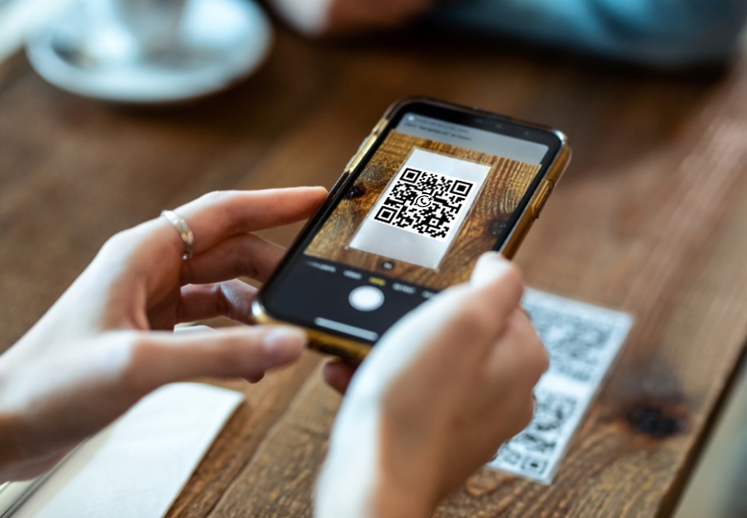
In an increasingly digital world, the humble QR code has become a fundamental bridge between physical objects and online information. But a printed label or sticker can fade, peel, or become damaged over time. This is where laser engraving QR codes comes in, offering a permanent, professional, and durable marking solution for everything from industrial parts to promotional gifts.
This comprehensive guide will walk you through everything you need to know about laser engraving QR codes—from how it works and what equipment you need, to step-by-step instructions and best practices for achieving scannable, long-lasting results.
1. What Is Laser Engraving QR Codes?
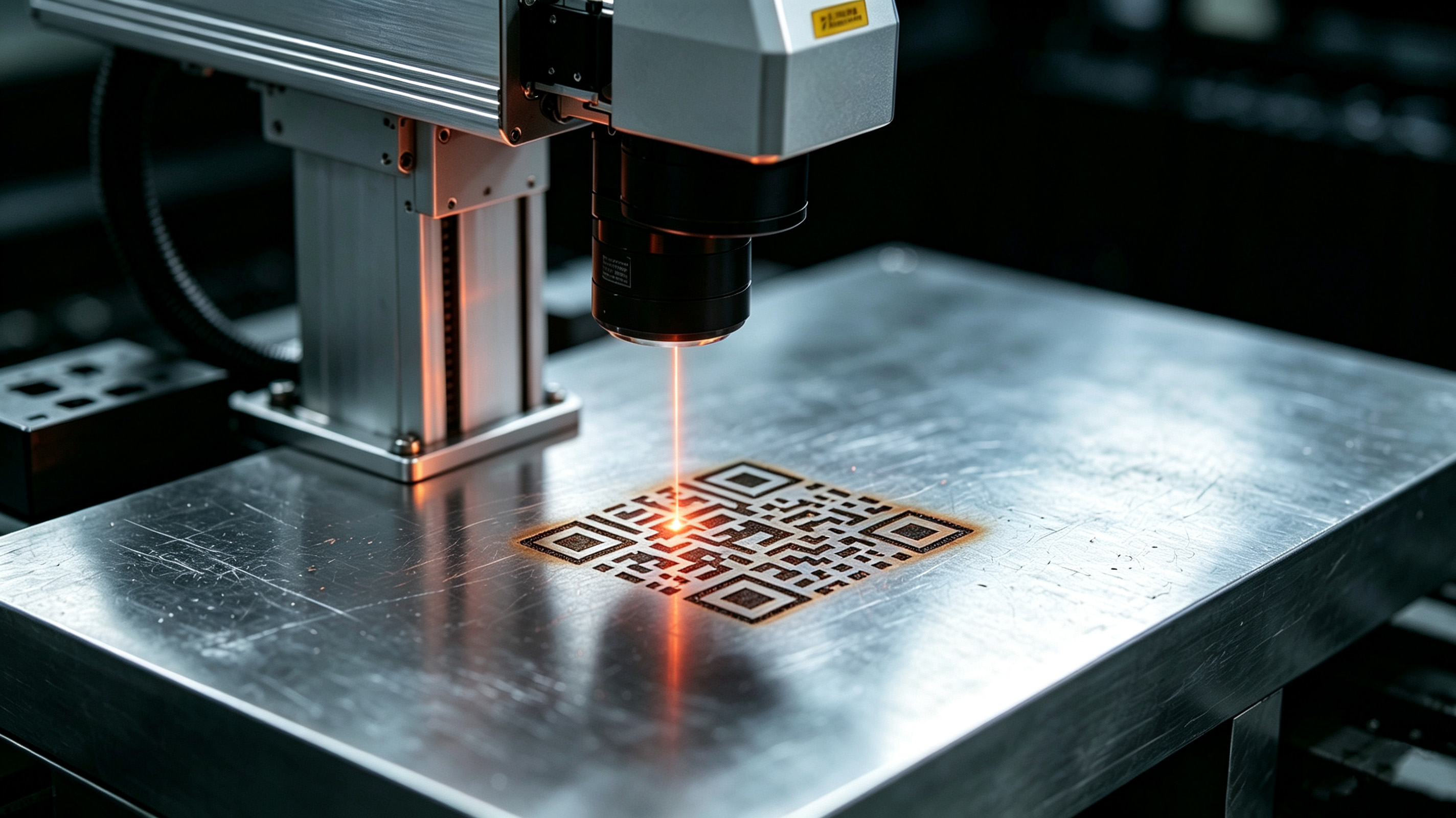
Laser engraving QR codes is a subtractive manufacturing process. Instead of adding ink or a sticker, a laser beam removes a microscopic layer of material to create a permanent code that can be scanned. The high contrast between the engraved surface and the original material ensures reliable scanning with a smartphone camera.
This method is also known as Direct Part Marking (DPM), making it invaluable for industrial traceability. Unlike printed codes, a laser engraved QR code won't smudge, wear off, or peel. It becomes an integral part of the item itself, capable of withstanding harsh environments, UV exposure, and abrasion.
Laser engraving QR codes uses a focused beam of light to modify the surface of the material, creating a contrasting pattern that can be read by any scanner or phone camera.
2. How Does Laser Engraving QR Codes Work?
The process is deceptively simple but relies on precise technology. A laser engraving QR codes machine works like a high-precision printer—but instead of ink, it uses a focused beam of light.
The system's software translates the digital QR code into a vector path—a series of lines and dots that the laser head will follow. As the beam moves across the material's surface, its intense heat vaporizes the material at the point of contact.
On metals, this typically creates a dark annealed mark or a clean, engraved groove. On plastics and wood, it usually produces a contrasting burn that highlights the code's pattern. The result is a crisp, high-resolution code that scanners can read instantly.
3. Step-by-Step Guide to Laser Engraving QR Codes
Step 1: Generate the QR Code
The first step in laser engraving QR codes is creating the QR code itself. Use a reliable QR code generator that can produce high-resolution vector files. Vector formats like SVG are highly recommended because they maintain sharpness regardless of size.
Recommendations:
-
Use M or Q error correction level to ensure scannability even if the code suffers minor damage.
-
Test the QR code with multiple devices before proceeding to engraving.
-
Double-check that the code content (URL, text, or information) is correct.
Step 2: Prepare the File in Your Engraving Software
Once you've generated the QR code, import it into your laser engraving QR codes machine's software. The most common programs include LightBurn, EZCAD, and LaserGRBL.
In LightBurn:
-
Go to the top navigation bar → Tools → Create Barcode.
-
Click, hold, and drag on the workspace to define the QR code size.
-
Adjust position and size according to your needs.
Key settings:
-
Ensure the code is at least 10 mm × 10 mm for scannability.
-
Maintain a quiet zone (white margin) of at least 4 modules around the code.
-
Verify that the contrast between the code and background is sufficient.
Step 3: Configure the Laser Machine
The settings on your laser engraving QR codes machine will depend on the material and the type of laser you're using.
General parameters to consider:
-
Power: Determines engraving depth. Too much power can damage the material; too little can make the code unreadable.
-
Speed: Affects engraving quality. Higher speeds produce lighter marks; lower speeds create deeper engravings.
-
Frequency: Adjusts the density of laser dots. Higher frequency produces smoother marks.
-
Focus: Precise focus is critical for sharp, scannable laser engraving QR codes.
Step 4: Perform a Test Engraving
Before engraving your final piece, always test on scrap material. This is especially important for laser engraving QR codes, as a poorly engraved code can be unusable.
Check during testing:
-
That the code is scannable with different devices.
-
That the contrast is sufficient under different lighting conditions.
-
That the size is appropriate for the final application.
Step 5: Execute the Final Engraving
Once you've verified the settings on your test piece, place your final workpiece in the laser engraving QR codes machine and run the job. Ensure the piece is securely fixtured to prevent movement during the process.
4. Types of Lasers for QR Code Engraving
Not all lasers are created equal, and the "best" machine for laser engraving QR codes depends entirely on what you plan to engrave.
Fiber Lasers
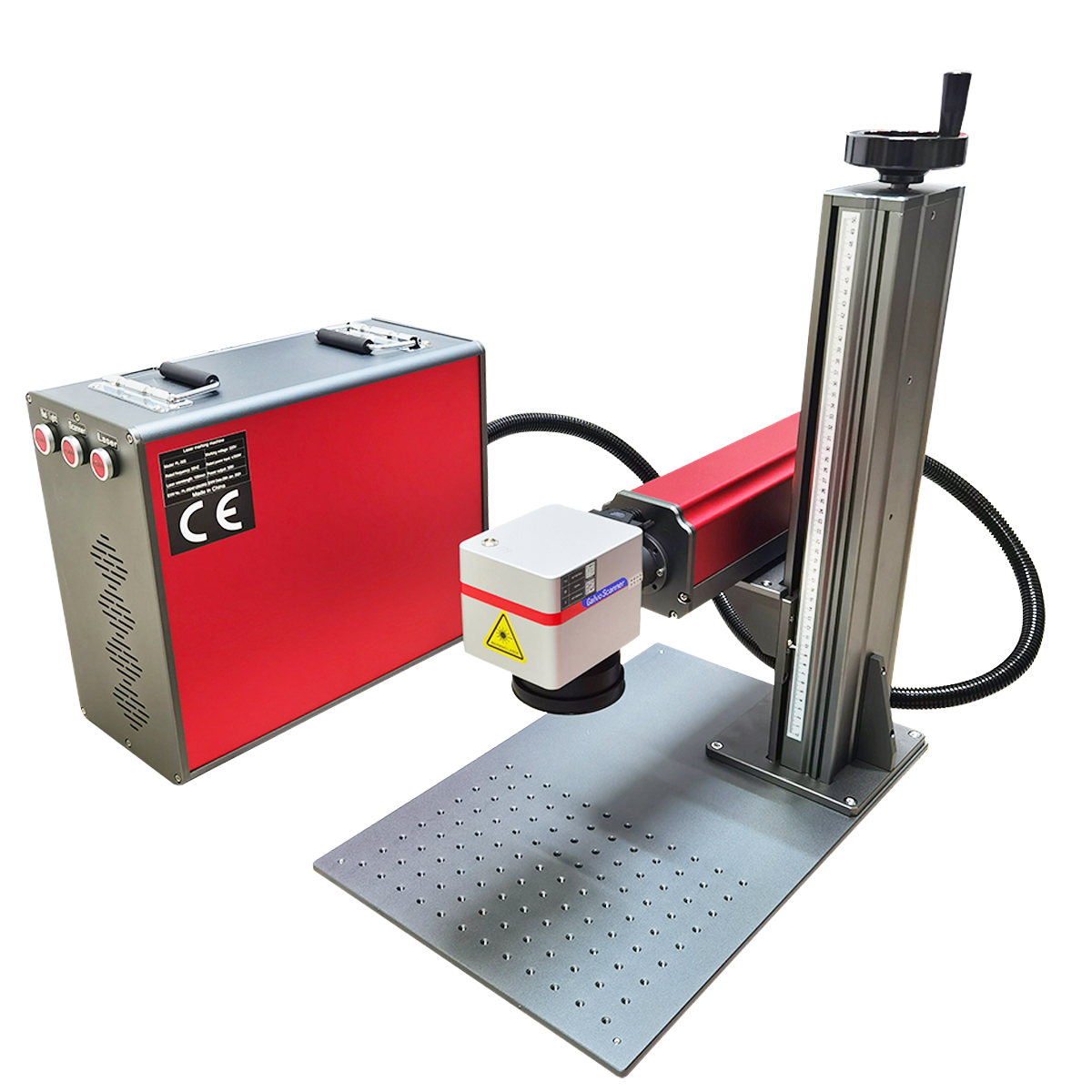
The undisputed champion of metal marking. Fiber lasers are exceptionally efficient at creating high-contrast, permanent marks on steel, aluminum, titanium, and even coated metals. They are fast, require minimal maintenance, and are the industrial standard for part traceability.
Advantages:
-
High engraving speed
-
Permanent, high-contrast marks
-
Low maintenance
-
No consumables
Compatible materials: Stainless steel, aluminum, titanium, copper, brass, coated metals.
Ideal for: Industrial traceability, metal part marking, automotive, aerospace, electronics.
CO₂ Lasers
These are the versatile workhorses for non-metal materials. A CO₂ laser is perfect for laser engraving QR codes on wood, acrylic, glass, leather, paper, and some plastics. They produce a crisp, contrasting mark through a process of vaporization and coloration.
Advantages:
-
Versatility across multiple materials
-
Good contrast on organic materials
-
Affordable cost
Compatible materials: Wood, acrylic, glass, leather, paper, textiles, some plastics.
Ideal for: Promotional products, signage, crafts, packaging.
Diode Lasers
An excellent entry-level option for hobbyists and small businesses working primarily with wood, leather, and some plastics. While slower and less powerful than CO₂ or fiber lasers, they are more affordable and capable of producing quality laser engraving QR codes for non-industrial applications.
Advantages:
-
Low entry cost
-
Easy to use
-
Suitable for beginners
Compatible materials: Wood, leather, cardboard, soft plastics.
Ideal for: Small businesses, hobbyists, DIY projects.
UV Lasers
For high-precision applications on heat-sensitive materials, UV lasers offer laser engraving QR codes with minimal heat-affected zones.
Advantages:
-
High precision
-
Minimal thermal damage
-
Ideal for sensitive materials
Compatible materials: Specialty plastics, glass, ceramics, printed circuit boards.
Ideal for: Electronics, medical devices, micro-marking.
5. Laser Marking Techniques for QR Codes
Laser engraving QR codes can be achieved through different techniques, each suitable for different materials and requirements:
| Technique | Description | Materials | Characteristics |
|---|---|---|---|
| Engraving | Removes material to create a cavity | Metals, plastics, wood | Deep, durable marks |
| Annealing | Heats metal to create surface oxide | Stainless steel, titanium | Dark mark without removing material |
| Foaming | Creates micro-bubbles on the surface | Dark plastics | High contrast, raised mark |
| Ablation | Removes surface coating layer | Coated metals, anodized | Reveals base metal for contrast |
Annealing
This technique is especially important for laser engraving QR codes on metals. The annealing process heats the metal surface without melting it, creating an oxide layer that produces a dark, permanent mark. This technique doesn't remove material, so it doesn't compromise the structural integrity of the part.
Foaming
For dark plastics, foaming is an ideal technique for laser engraving QR codes. The laser heats the plastic until micro-bubbles form on the surface, creating a light, raised mark that contrasts perfectly with the base material.
6. Applications of Laser Engraving QR Codes
Laser engraving QR codes has applications across virtually every industrial and commercial sector:
Industrial & Manufacturing
-
Part traceability: Laser engraving QR codes enables tracking of every part throughout the entire production chain.
-
Inventory control: Efficient inventory management with permanent QR codes.
-
Automotive: Component marking for identification and maintenance.
-
Aerospace: Traceability of critical components with durable QR codes.
-
Electronics: PCB marking for identification and management.
Consumer Products
-
Luxury goods: Authentication and traceability of premium products.
-
Jewelry: Unique identification and authenticity verification.
-
Promotional items: Permanent personalization of products.
-
Sports equipment: Asset identification and tracking.
Healthcare & Pharmaceutical
-
Medical devices: Traceability and authentication of instruments.
-
Pharmaceuticals: Authentication to combat counterfeit medications.
Retail & Commercial
-
Displays and signage: Permanent QR codes on displays.
-
Packaging: Direct marking on packaging for product information.
7. Laser Engraving QR Codes vs. Traditional Methods
| Feature | Laser Engraving QR Codes | Printed Labels | Ink / Screen Printing |
|---|---|---|---|
| Durability | Permanent | Limited (wears off) | Limited (wears off) |
| Chemical Resistance | High | Low | Medium |
| UV Resistance | High | Low | Medium |
| Abrasion Resistance | High | Low | Medium |
| Consumables | None | Ink, paper, adhesive | Ink, solvents |
| Maintenance | Low | High | Medium |
| Long-term Cost | Low | High | Medium |
| Precision | High (microns) | Medium | Medium |
Laser engraving QR codes outperforms traditional methods in durability, resistance, and long-term cost. While the initial investment is higher, the elimination of consumables and reduced maintenance make it the most cost-effective option for industrial and commercial applications.
8. Tips for Optimal Laser Engraving QR Codes
Minimum Size
To ensure a QR code is scannable, laser engraving QR codes must meet a minimum size requirement. As a general rule:
-
Recommended minimum size: 10 mm × 10 mm
-
Optimal size: 15 mm × 15 mm or larger
-
For distance scanning: Increase size proportionally
Contrast
Contrast is critical for scannability in laser engraving QR codes:
-
Ensure sufficient difference between the code and the background
-
On metals, annealing produces excellent contrast
-
On plastics, foaming creates a clear, legible mark
Error Correction
Use an appropriate error correction level for your laser engraving QR codes:
-
Level L: 7% recovery (basic)
-
Level M: 15% recovery (recommended)
-
Level Q: 25% recovery (for difficult surfaces)
-
Level H: 30% recovery (maximum protection)
For most laser engraving QR codes applications, Level M or Q is sufficient to ensure scannability even if the code suffers minor damage.
File Format
Always use vector formats for your laser engraving QR codes:
-
SVG (Recommended): Scalable without quality loss
-
AI: Adobe Illustrator native format
-
DXF: Universal exchange format
-
EPS: Compatible with most software
Quiet Zone
Maintain a white margin around the QR code:
-
Minimum: 4 modules wide
-
Recommended: 10% of the total code size
This zone allows scanners to correctly identify the code's edges during laser engraving QR codes.
9. Frequently Asked Questions (FAQ)
Q1: Is laser engraving QR codes permanent?
Yes. Laser engraving QR codes creates a permanent mark that won't wear off, peel, or fade over time. The code becomes an integral part of the material, capable of withstanding harsh environments, UV exposure, and abrasion.
Q2: What size should a QR code be for laser engraving?
The recommended minimum size for laser engraving QR codes is 10 mm × 10 mm. However, to ensure optimal scannability under different conditions, a size of 15 mm × 15 mm or larger is recommended. The exact size will depend on scanning distance and machine capability.
Q3: Can I engrave a QR code on metal with a CO₂ laser?
No. CO₂ lasers are not effective for laser engraving QR codes on metals, as their wavelength (10.6 μm) is reflected by the metal surface. For metals, a fiber laser (1064 nm) or a UV laser is required.
Q4: What software do I need to design QR codes for laser engraving?
The most commonly used software for laser engraving QR codes includes:
-
LightBurn: Popular and user-friendly, with built-in QR code creation.
-
EZCAD: Standard software for fiber laser marking machines.
-
LaserGRBL: Free option for diode and CO₂ machines.
-
Online generators: Generate the QR code and export as SVG for import into engraving software.
Q5: How much does a laser engraving QR codes machine cost?
The cost of a machine for laser engraving QR codes varies widely by type and power:
-
Diode laser (5W-10W): $200 - $800 (ideal for hobbyists)
-
CO₂ laser (40W-100W): $1,000 - $5,000 (versatile for non-metals)
-
Fiber laser (20W-50W): $3,000 - $15,000 (professional for metals)
-
UV laser: $10,000+ (high precision for specialized applications)
Q6: Does laser engraving QR codes damage the material surface?
No, when done correctly. Laser engraving QR codes is a controlled process that removes only a microscopic layer of material. In the case of annealing on metals, no material is even removed—only the surface is oxidized to create contrast.
Q7: What error correction level should I use for laser engraving QR codes?
For laser engraving QR codes, Level M (15% recovery) or Level Q (25% recovery) is recommended. These levels offer a good balance between code size and recovery capability, protecting against minor damage or imperfections in the engraving.
Q8: Can I engrave QR codes on curved surfaces?
Yes, it is possible to perform laser engraving QR codes on curved surfaces using machines with rotary axes or 3D marking systems. However, special setup is required to maintain consistent focus across the entire code surface.
10. Final Thoughts
Laser engraving QR codes represents the future of permanent marking and traceability in modern industry. Unlike adhesive labels or ink, which degrade over time, laser engraving QR codes offers a durable, resistant, and professional solution that integrates directly into the material.
Whether you need traceability for industrial parts, authentication for luxury goods, or personalization for promotional items, laser engraving QR codes gives you the versatility and durability you need.
The key to successful laser engraving QR codes lies in choosing the right machine for your material, correctly configuring the parameters, and following best design practices. With the guidance provided in this article, you're ready to start creating permanent, scannable QR codes that will stand the test of time.
Contact Us
Ready to implement laser engraving QR codes in your business? Our team of laser technology specialists is here to help you select the right machine for your specific needs.
📧 Email: jennyj@zglc-laser.com
🌐 Website: www.zglc-laser.com
Request a free consultation and demonstration today.
How Our Laser Engraver Help You Win In the Halloween Business
Laser Engraver Safety: A Complete Guide to Risks and Safe Operation
Related Article